
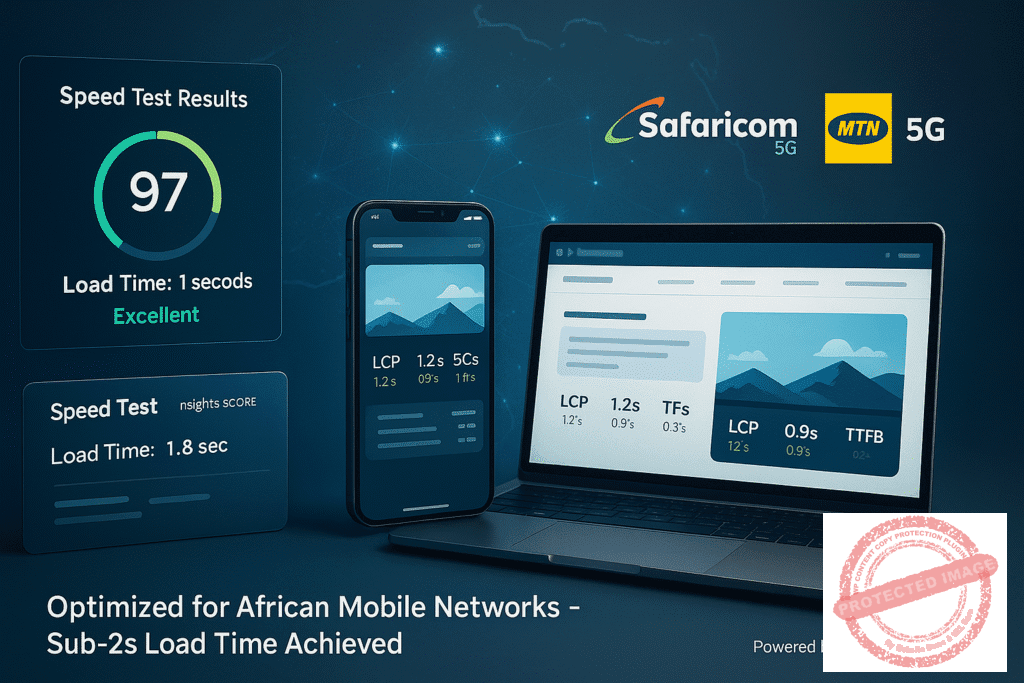
Speed Matters: How to Achieve Sub-2-Second Load Times on African Networks
A practical guide to image compression, CDN routing, and critical CSS, tested for performance on Safaricom and MTN connections.
Author
Apex Digital Africa Team
Published
Loading...
Tags
Website Speed, African Networks, Web Performance, Technical SEO
Reading Time
16 minutes
Optimized for African Network Conditions
Real-world testing on Safaricom, MTN, and other major African mobile networks
The African Speed Imperative
The High Cost of Slow Websites in Africa
In the global digital economy, website speed is a critical factor for success. In Africa, where mobile data is often more expensive and network speeds can be less predictable than in other regions, speed is not just a feature it's the foundation of a successful user experience. A visitor using a Safaricom connection in Nairobi or an MTN connection in Lagos has the same high expectation for a fast, responsive website as a user in New York or London. Failing to meet this expectation means losing customers, conversions, and credibility.
Same Expectations, Different Infrastructure
African internet users demand world-class experiences despite facing unique infrastructure challenges. Mobile data costs remain high across the continent, making every second of loading time count even more.
A slow website frustrates users, tanks your search engine rankings, and directly impacts your bottom line. In markets where competition is fierce and attention spans are short, speed becomes your competitive advantage.
Network Expectations Comparison
-
African Networks
Safaricom, MTN, Airtel - High data costs, variable speeds
-
Global Networks
Consistent high-speed infrastructure, lower data costs
The Performance Opportunity
Achieving sub-2-second load times on African networks is not just possible; it's a strategic imperative. This guide provides practical, actionable optimization techniques specifically designed to address the challenges of African internet infrastructure.
The "Big Three" of Speed Optimization
Image Compression
Reduce image file sizes by up to 80% without sacrificing quality, dramatically improving load times on mobile networks.
CDN Routing
Serve content from servers closest to your African users, reducing latency and improving reliability.
Critical CSS
Prioritize above-the-fold content loading to create the perception of speed, even on slower connections.
Table of Contents
Your roadmap to sub-2-second load times on African networks
Why Speed is Non-Negotiable in the African Market
The Foundation - Smart Image Compression
Reduce file sizes without compromising quality
The Delivery - Intelligent CDN Routing
Serve content closer to your African users
The Perception - Mastering Critical CSS
Create the illusion of speed with smart loading
Testing and Measurement
Tools for Simulating Safaricom and MTN Connections
Test your website's performance under real African network conditions using specialized tools and network throttling.
Key Metrics to Track
Monitor essential performance indicators including First Contentful Paint, Largest Contentful Paint, and Time to Interactive.
Conclusion: Building a Culture of Speed
Why Speed is Non-Negotiable in the African Market
The difference between a 2-second and a 5-second load time is not just three seconds. It's the difference between a conversion and a bounce.
High conversion rate with engaged users who complete desired actions
Significant bounce rate with frustrated users who abandon your site
Here's Why Speed is Paramount
High Cost of Data
For many users, data is a precious resource. A heavy, slow-loading page actively costs them money, creating a negative brand perception before they even see your content. Every megabyte wasted impacts their limited data budget.
Mobile-First Audiences
The vast majority of internet users in Africa access the web via mobile devices. These devices often have less processing power and rely on cellular networks that can fluctuate in quality. A site optimized for desktop on a fast fiber connection will fail miserably in this context.
User Expectations
The modern user, regardless of location, expects instant results. A delay of even a few seconds leads to frustration and site abandonment. African users are no different—they demand the same seamless experience as users in developed markets.
The Data Doesn't Lie
Google's Research on Page Speed
Google's research shows that the probability of a user bouncing increases by over 30% as page load time goes from 1 to 3 seconds.
This means that even small improvements in load time can have dramatic effects on user engagement and conversion rates in African markets.

Part 1: The Foundation - Smart Image Compression
Optimize your heaviest assets for lightning-fast African network performance
The Weight of Unoptimized Images
Images are often the heaviest assets on a webpage. Unoptimized images can single-handedly push your load times from fast to frustratingly slow, especially on African mobile networks where every kilobyte counts and data costs are significant.
Choosing the Right Format: WebP is King
For years, JPEG and PNG were the standards. Today, WebP is the undisputed champion for web performance. Developed by Google, WebP offers superior compression and quality compared to its predecessors.
Format Comparison
WebP
Superior compression with equivalent quality. Supports transparency and animation.
WebP vs. JPEG
WebP images are typically 25-35% smaller than JPEG images at equivalent quality
WebP vs. PNG
WebP supports transparency (like PNG) but at a fraction of the file size
Actionable Step
Convert all your JPEG and PNG images to WebP format. Most modern browsers, including Chrome and Safari, have full support for WebP. Use tools that can serve WebP images while providing a fallback (like JPEG) for the very few older browsers that don't support it.
Tools for Effective Compression
For Manual Compression
Squoosh
A powerful, browser-based tool from Google that allows you to see a live preview of different compression settings and formats
ImageOptim
A free desktop application for Mac that aggressively compresses images without sacrificing quality
For Automated Compression (WordPress)
Imagify
A plugin that automatically converts and compresses your images to WebP format upon upload with JPEG/PNG fallback
ShortPixel
A similar plugin that offers robust compression and WebP conversion features for WordPress
Implementing Lazy Loading
How Lazy Loading Works
Lazy loading is a technique that defers the loading of off-screen images until the user scrolls down to them. This dramatically improves the initial page load time because the browser only needs to load the images visible in the viewport, reducing bandwidth usage and speeding up page rendering.
Implementation Step
Ensure lazy loading is enabled on your website. Modern WordPress versions have this feature built-in. If you're using a different platform, you can implement it with a few lines of JavaScript or use a library like lazysizes. Check that your images have the loading="lazy" attribute in their HTML tag.
Pro Tip for African Networks
Combine WebP compression with lazy loading for maximum impact on African mobile networks. This dual approach ensures images are both smaller in size and loaded only when needed, dramatically improving perceived performance.

Part 2: The Delivery - Intelligent CDN Routing
Serve content closer to your African users for lightning-fast performance
What is a Content Delivery Network?
A Content Delivery Network (CDN) is a network of servers distributed globally. It caches your website's static content (like images, CSS, and JavaScript) and serves it to users from a server that is geographically closest to them, dramatically reducing load times.
What is a CDN and Why It's Crucial for Africa
If your website is hosted on a server in Europe, a user in Lagos must send a request all the way to Europe and back. This round-trip time, known as latency, is a major contributor to slow load times. A CDN solves this by placing a copy of your content much closer to the user.
Latency Comparison
Without CDN
Request from Lagos to Europe: 200-400ms latency
With CDN
Request from Lagos to local PoP: 20-50ms latency
CDN reduces distance by serving from local Points of Presence
A request from Lagos might be served from a server in Nigeria or South Africa, drastically reducing latency and improving the user experience for African visitors.
Choosing a CDN with Strong African PoPs
Not all CDNs are created equal, especially when it comes to African coverage. You need a provider with data centers (PoPs) on the continent to ensure optimal performance for African users.
Excellent Choices for African Markets
Cloudflare
- Robust free plan available
- Argo Smart Routing for congested networks
- Strong security features included
- Easy setup with nameserver changes
African Points of Presence
Amazon CloudFront
- Strong AWS integration
- Pay-as-you-go pricing
- Advanced caching options
- Real-time analytics
African Points of Presence
Pro Tip
Before choosing a CDN, check their network map on their website to verify their presence in key African markets like Nigeria, Kenya, South Africa, and Ghana.
Actionable Step
Sign up for a CDN like Cloudflare (the free plan is a great start). Update your domain's nameservers to point to the CDN's nameservers. This simple change will automatically route your traffic through their global network and start serving cached content from locations closer to your African users.
Configuring Your CDN for Optimal Caching
Proper CDN configuration ensures your static assets are cached effectively, reducing server load and improving delivery speed for African users.
Essential Cache Settings
Cache TTL (Time to Live)
Configure your CDN to cache static assets for as long as possible. This determines how long content stays in the CDN cache before checking for updates.
For content that doesn't change often (like your logo or site CSS)
Browser Cache TTL
Instruct the user's browser to also cache assets. This means on subsequent visits, the browser can load files from its local cache instead of re-downloading them.
Good starting point for most static assets
African Network Impact
Proper CDN configuration is especially crucial for African users who face higher data costs and variable network quality. Effective caching reduces data usage and provides a consistent experience even during network congestion.
Part 3: The Perception - Mastering Critical CSS
Optimize perceived load time by eliminating render-blocking resources
The Importance of Perceived Performance
Perceived load time is just as important as actual load time. A user needs to see your site becoming visible and interactive almost immediately. Render-blocking resources, especially CSS files, prevent this from happening and create frustrating white screen delays.
Understanding Render-Blocking Resources
When a browser loads a webpage, it parses the HTML. When it encounters a link to an external CSS file, it must stop everything, download that file, and parse it before it can continue rendering the page. This is why it's called "render-blocking." If you have several large CSS files, the user will stare at a blank white screen until all of them are downloaded.
The Render Blocking Problem
Traditional CSS loading creates a waterfall effect where the browser must complete each step before moving to the next, delaying the visual rendering of your page.
- Browser downloads HTML
- Browser discovers CSS files and stops rendering
- CSS files download sequentially
- Browser parses CSS and resumes rendering
- User finally sees the page
CSS blocking creates significant delays in page rendering
How to Identify and Generate Critical CSS
What is Critical CSS?
Critical CSS is the minimum set of styles required to render the "above-the-fold" content of your page (what the user sees without scrolling). By inlining this small amount of CSS directly into the HTML, the browser can start rendering the visible part of the page almost instantly, while non-critical styles load in the background.
Tools for Generating Critical CSS
Pegasaas
An online tool where you can enter your URL, and it will generate the critical CSS for you automatically. Perfect for quick implementations.
Webpack/Gulp Plugins
For developers, build tools can have plugins like critical that automate this process during deployment. Ideal for development workflows.
Implementing Critical CSS and Deferring Non-Essential Styles
Implementation Process
Inline the Critical CSS
Place the generated critical CSS inside <style> tags in the <head> of your HTML document. This allows immediate rendering of above-the-fold content.
<style>
.header { color: #333; }
.hero { background: #f0f0f0; }
.navigation { display: flex; }
</style>
Load Full Stylesheet Asynchronously
Use the print media technique to load the complete stylesheet without blocking rendering, then switch to all media once loaded.
<link rel="stylesheet"
href="styles.css"
media="print"
onload="this.media='all'">
This code tells the browser to initially load the stylesheet as if it's for printing (which is non-blocking), and then, once it's loaded, apply it to all media types. This technique ensures the full stylesheet loads without delaying the initial page render.
Actionable Step
Use an online generator like Pegasaas to create the critical CSS for your homepage. Implement it and load your main stylesheet asynchronously using the print media technique shown above.
For WordPress Users
Optimization plugins can automate this entire process with a few clicks:
African Network Impact
Critical CSS is particularly beneficial for African users on slower mobile networks. By eliminating render-blocking CSS, users see content almost immediately, dramatically improving perceived performance even on congested networks like Safaricom or MTN.

Testing and Measurement: Simulating Real-World Conditions
Validate your optimizations under realistic African network conditions
Measure What Matters
Optimizing without testing is like flying blind. You must test your site's performance under conditions that mimic your target users' experience on African networks like Safaricom and MTN to ensure your optimizations deliver real-world benefits.
Tools for Simulating Safaricom and MTN Connections
Accurate testing requires simulating the network conditions your African users actually experience. These tools help you replicate typical 3G and 4G conditions found on major African mobile networks.
WebPageTest.org
This is the gold standard for performance testing. You can test from various locations and, most importantly, select specific connection speeds that mimic African mobile networks.
Recommended Network Profiles
Chrome DevTools
For quick testing during development, Chrome DevTools provides built-in network throttling that can simulate African mobile network conditions.
Throttling Settings
Actionable Testing Process
Run a "before" test on WebPageTest.org using a "Mobile 3G - Fast" profile from a location like South Africa or Kenya. Save the results. After implementing the optimizations in this guide, run an "after" test using the same settings and compare the key metrics to measure your improvement.
Key Metrics to Track
Focus on these core web vitals and performance metrics to measure the real impact of your optimizations on user experience, especially for African mobile users.
Critical Performance Metrics
Largest Contentful Paint (LCP)
Measures when the largest visual element on the page becomes visible. This is a core metric for perceived load speed that directly impacts user experience.
First Contentful Paint (FCP)
Measures when the first piece of content appears. Critical CSS directly improves this metric by eliminating render-blocking resources.
Total Blocking Time (TBT)
Measures the time the main thread was blocked, preventing user interaction. Lower values mean better responsiveness and user experience.
Load Time
The total time it takes for the page and all its resources to fully load. Your ultimate goal is sub-2-second performance on African networks.
African Network Considerations
These metrics are particularly important for African users who experience higher latency and variable network quality. Focus on perceived performance (LCP, FCP) as much as actual load times.
Testing Best Practices
- Test multiple times and average the results for accuracy
- Clear browser cache between tests for consistent results
- Test during different times of day to account for network congestion
- Compare results against your baseline measurements
- Focus on the 75th percentile for real-world performance
Conclusion: Building a Culture of Speed
Achieving sub-2-second load times on African networks is not a one-time project; it's an ongoing commitment to performance excellence. Every new feature, image, or plugin you add to your site has the potential to slow it down, making continuous optimization essential.
By embracing smart image compression, leveraging a CDN with a strong African presence, and mastering the delivery of critical CSS, you can build a website that is not just functional but exceptionally fast for your users across Africa.
Higher Conversion Rates
Fast-loading sites convert better, turning more visitors into customers and subscribers
Better Search Rankings
Google prioritizes fast websites, giving you a competitive edge in search results
Superior Brand Reputation
Fast, reliable performance builds trust and enhances your brand perception
Start optimizing today, and turn your website into a powerful, high-performance engine for growth that delivers exceptional experiences to users on Safaricom, MTN, and other African networks.
Need help optimizing your website for African networks? Our team specializes in performance optimization for mobile-first markets.
Get Your Free Speed Audit